Clash Meta for Android
Clash Meta for Android
Best alternative to Clash for Android · Supports new protocols · Stable
🚀 Supports VLESS/Hysteria
🛡️ Powered by Meta Core
⚡ Optimized Performance
🎨 Material Design UI
Quick Start
1️⃣
Get Sub
➜
2️⃣
Import URL
➜
3️⃣
Save
➜
4️⃣
Start
Detailed Guide
1
Get Subscription Link
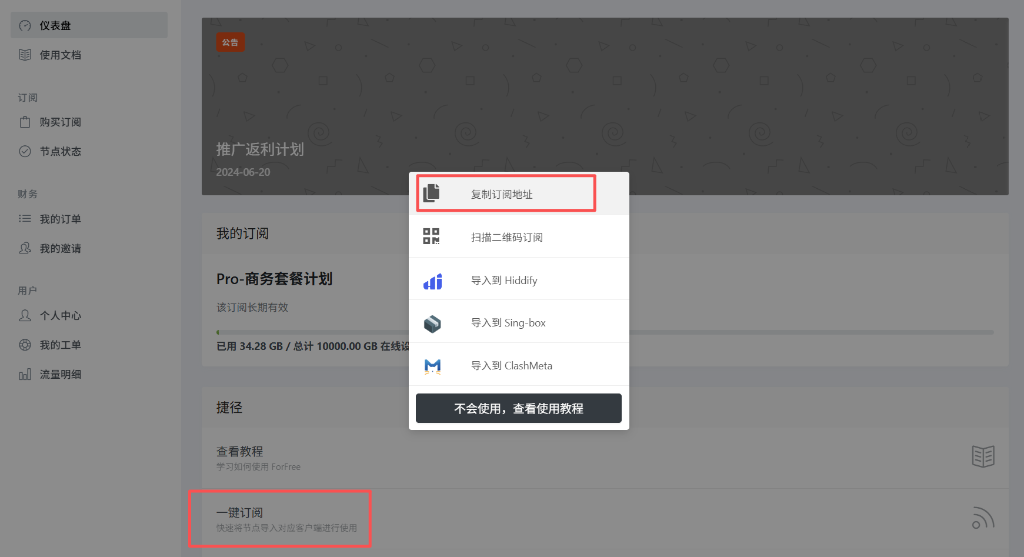
Visit ForFree User Center, find the "One-Click Subscribe" area, click "Copy Subscription Address".
2
Import Configuration
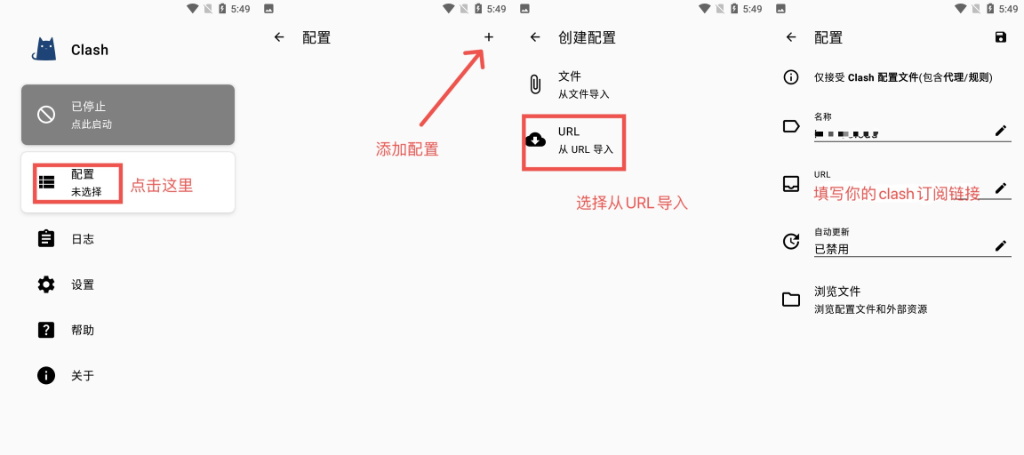
Open the App, tap "Profiles" button. Tap the + sign at the top right, select "Import from URL". Paste the link you copied into the URL field. You can name it freely (e.g. ForFree), then tap the save icon at the top right.
3
Enable App
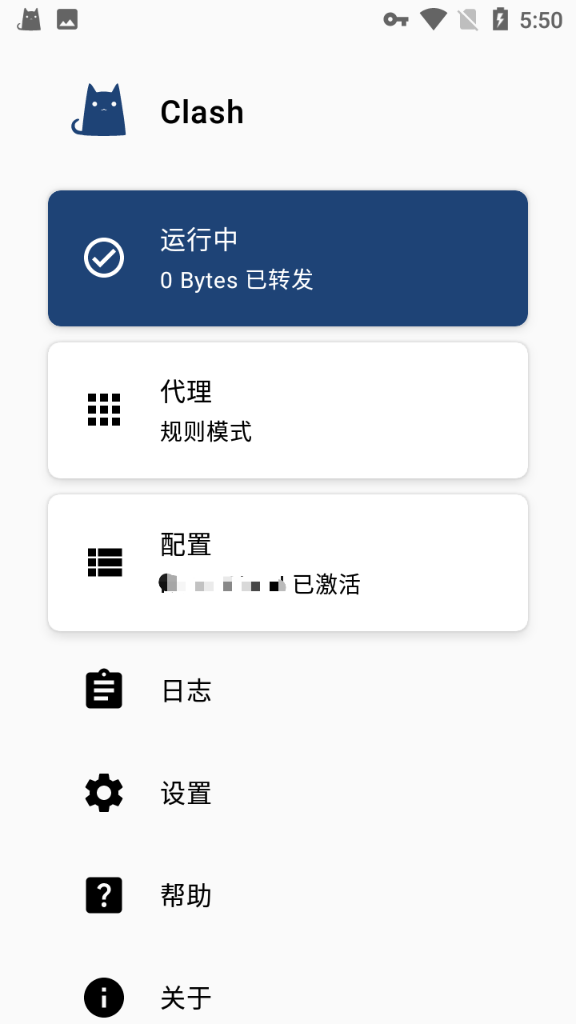
Return to the main interface, tap the gray "Stopped" button. The button will turn blue and show "Running" indicating startup success.
On first startup, Android system will ask for "Connection Request", please tap OK to allow VPN creation.
4
Select Proxy
Tap the "Proxy" button on the main interface to enter the node selection page. You can switch between different proxy groups and nodes here. We recommend using Rule mode.
(Node Selection Interface)
🎉 Configuration Complete!
You can now browse the internet freely.
Issues? Check FAQ or contact support.