Shadowrocket
Shadowrocket
Best Client for iOS · Little Rocket 🚀
🚀 #1 Proxy Tool on iOS
⚡ All Protocols (SS/Trojan/VLESS)
⚙️ Powerful URL Rewrite & MitM
📊 Traffic Analysis & Sniffing
⚠️ Purchase Note
This is a Paid App ($2.99) and cannot be downloaded from the Chinese App Store.
ForFree members can get a shared US Apple ID in the User Center to download it.
📥Newbie Guide: How to Download? (Click to Expand)
Since Shadowrocket is not available in the Chinese Store, you need a US Apple ID. Please strictly follow these steps:
⛔️ Core Warning: Two "NEVER DOs"
- NEVER log in to iCloud in Settings! (App Store Login ONLY)
- NEVER click "Continue" for 2FA! (Must select "Other Options" -> "Don't Upgrade")
- Open App Store Profile page, scroll to the bottom, click "Sign Out".
- Enter shared ID and password to log in.
- 2FA Popup: Click "Other Options" -> "Don't Upgrade". (Critical Step)
- Search Shadowrocket (🚀 icon) and download.
- Sign Out IMMEDIATELY after download, switch back to your own ID.
Quick Start
1️⃣
Get Sub
➜
2️⃣
Setup
➜
3️⃣
Update
➜
4️⃣
Connect
Detailed Guide
1
Get Subscription Link
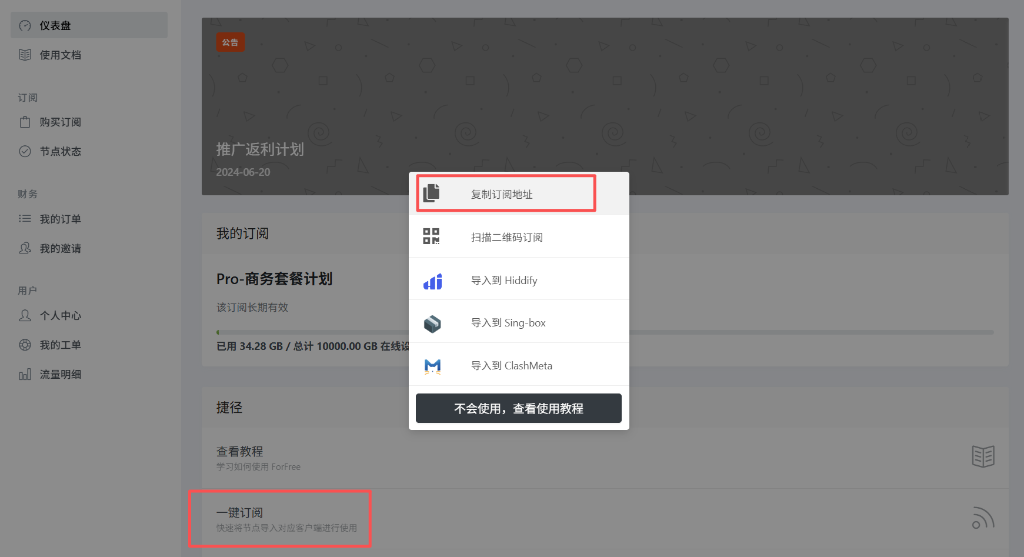
Visit ForFree User Center, click "Copy Subscription Address".
2
Enable Auto Update
Open Shadowrocket, click "Settings" at the bottom, scroll down to find "Server Subscribe". Turn on "Update on Open". This ensures you get the latest nodes every time you open the app.

3
Add Subscription
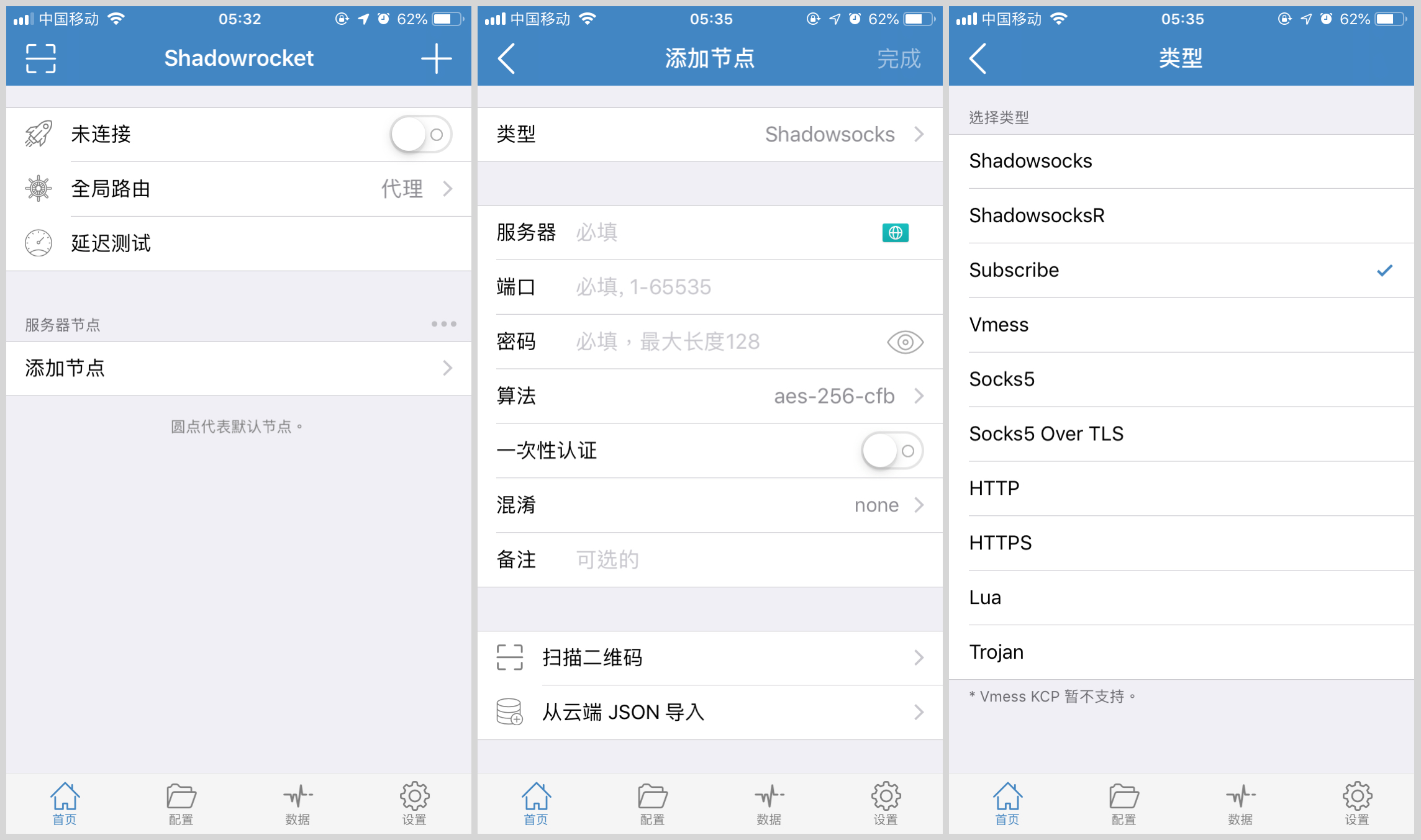
Go back to the home page, click the + sign at the top right. Select Type Subscribe (the third one).
4
Paste Link
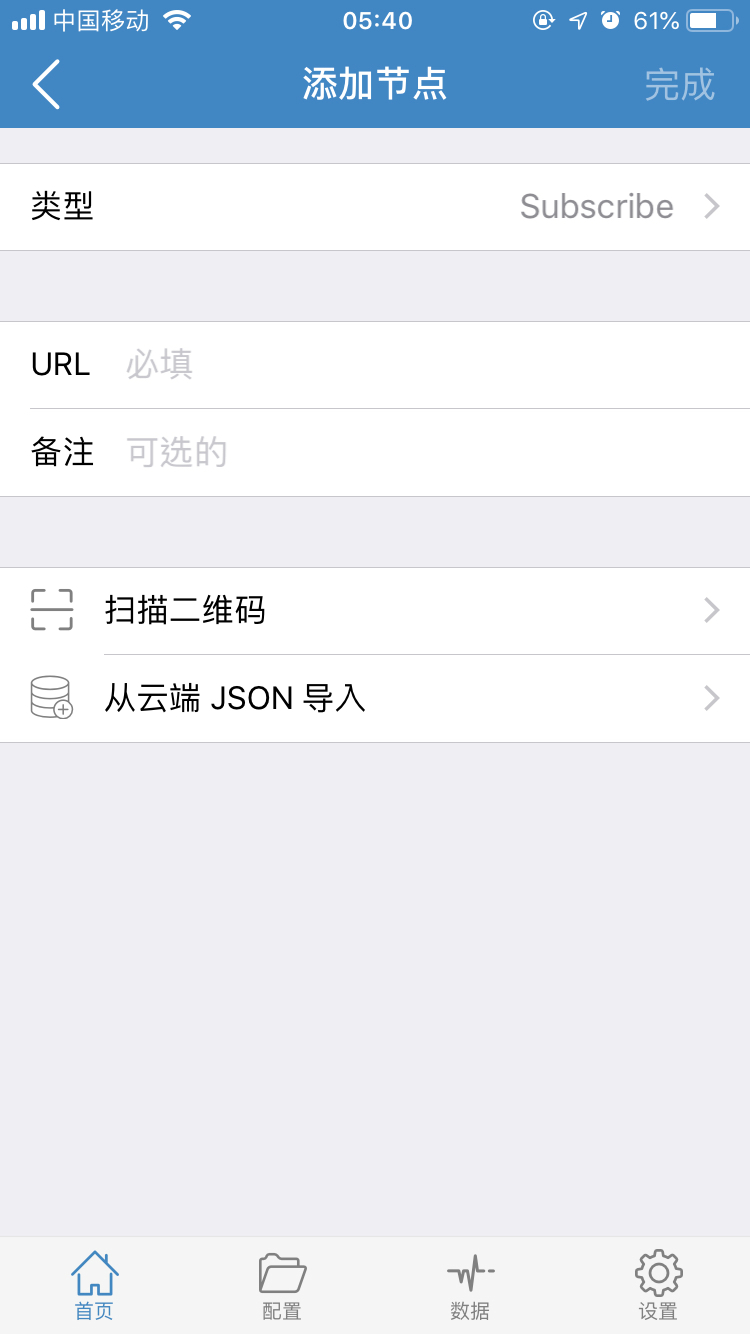
Paste the subscription link you copied into the URL field, and enter ForFree for Remark. Click Save at the top right.
5
Start Connecting
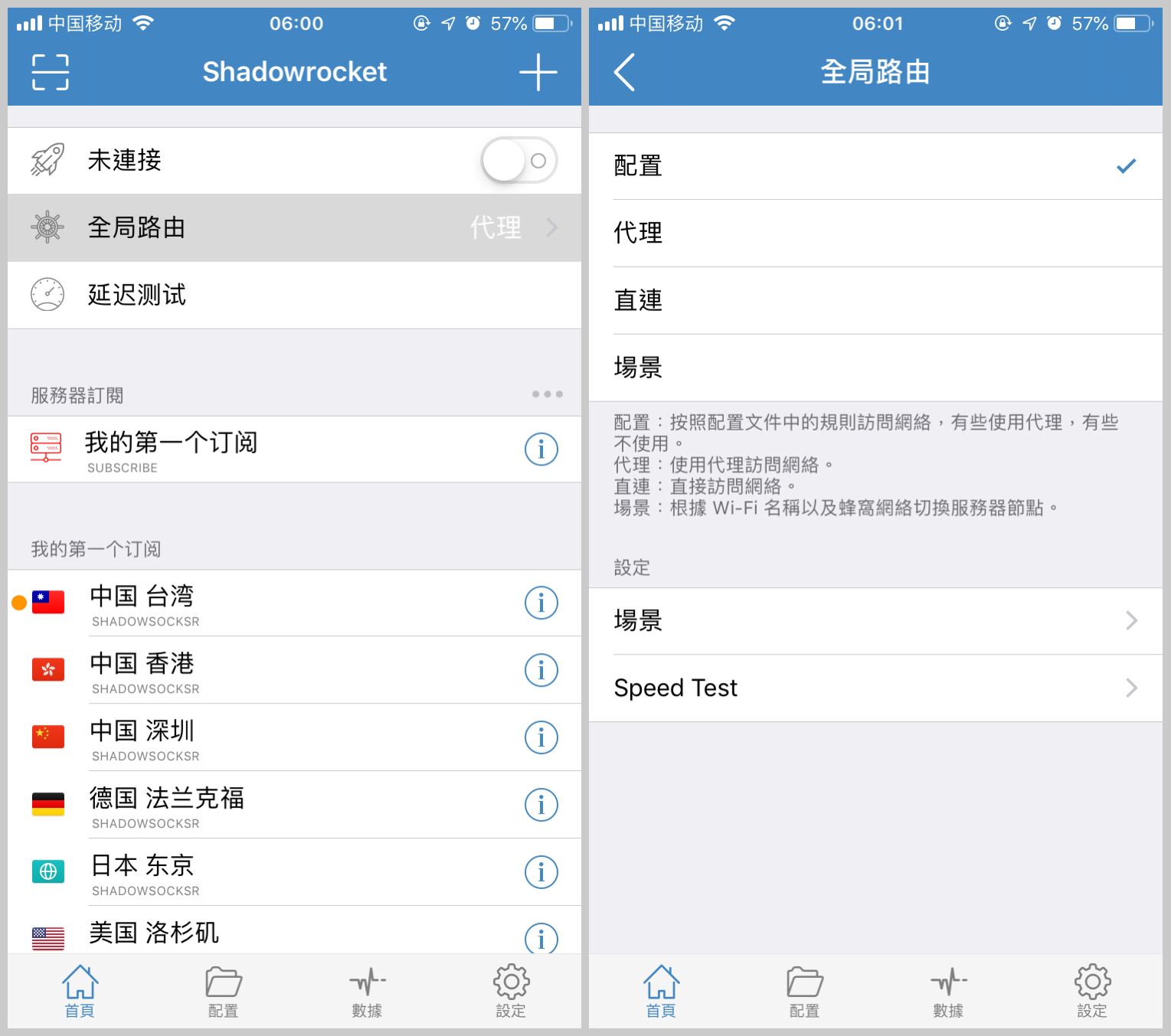
Back on the home page, you will see the node list updated. Select a node (a small yellow dot appears in front), then turn on the Connection Switch at the top.
When connecting for the first time, it will prompt to add VPN configurations. Please click Allow and complete fingerprint/FaceID verification.
6
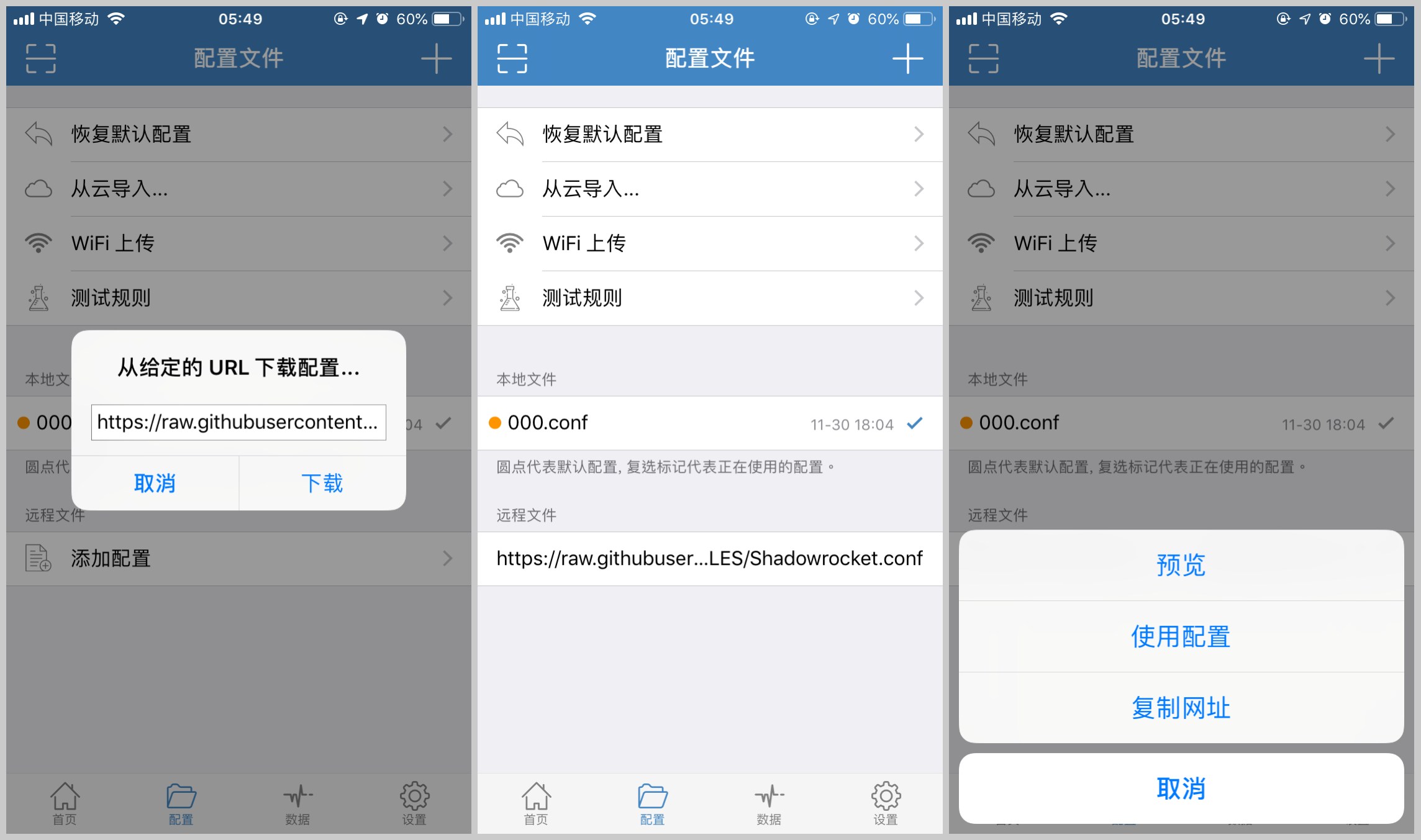
Advanced: Rules (Optional)
If you add a Lazy Rule in the "Config" page at the bottom (as shown), you can achieve smarter routing. We recommend normal users stick to the default Global Routing -> Config mode.
Skip this step if you are not familiar with it; it won't affect basic usage.
🎉 Configuration Complete!
You can now browse the internet freely.
Issues? Check FAQ or contact support.